![Orchidea logo white with orange dot.png]](https://knowledge.orchidea.dev/hs-fs/hubfs/Orchidea%20logo%20white%20with%20orange%20dot.png?width=161&height=51&name=Orchidea%20logo%20white%20with%20orange%20dot.png)
You can add a large number of users to your Orchidea workspace at once using the import function. This saves time compared to inviting users individually.
📌 This feature is only available to users with the workspace owner or administrator role.
Before starting, ensure you have a CSV file containing at least the email addresses of the users.
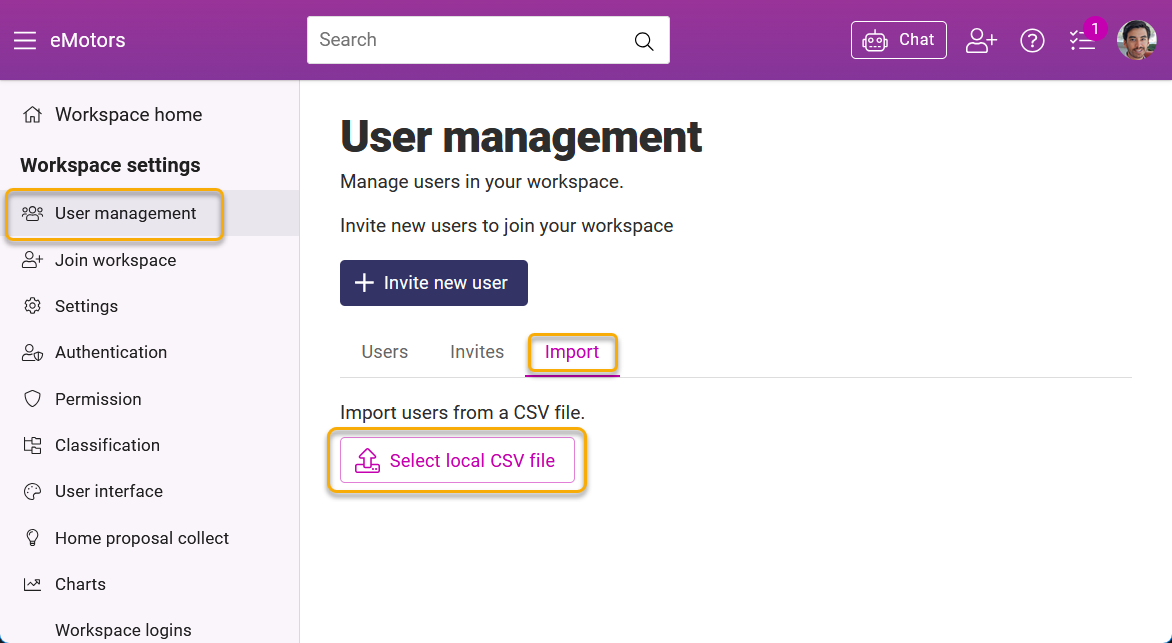
- Click on your User Profile in the top right corner and select Workspace settings.
- Select User management from the left-hand menu.
- Click the Import tab.
- Click Select local CSV file and select the file from your computer.
- Important: Select the correct authentication method from the dropdown menu located above the table before proceeding. Manual login means login with email and password.
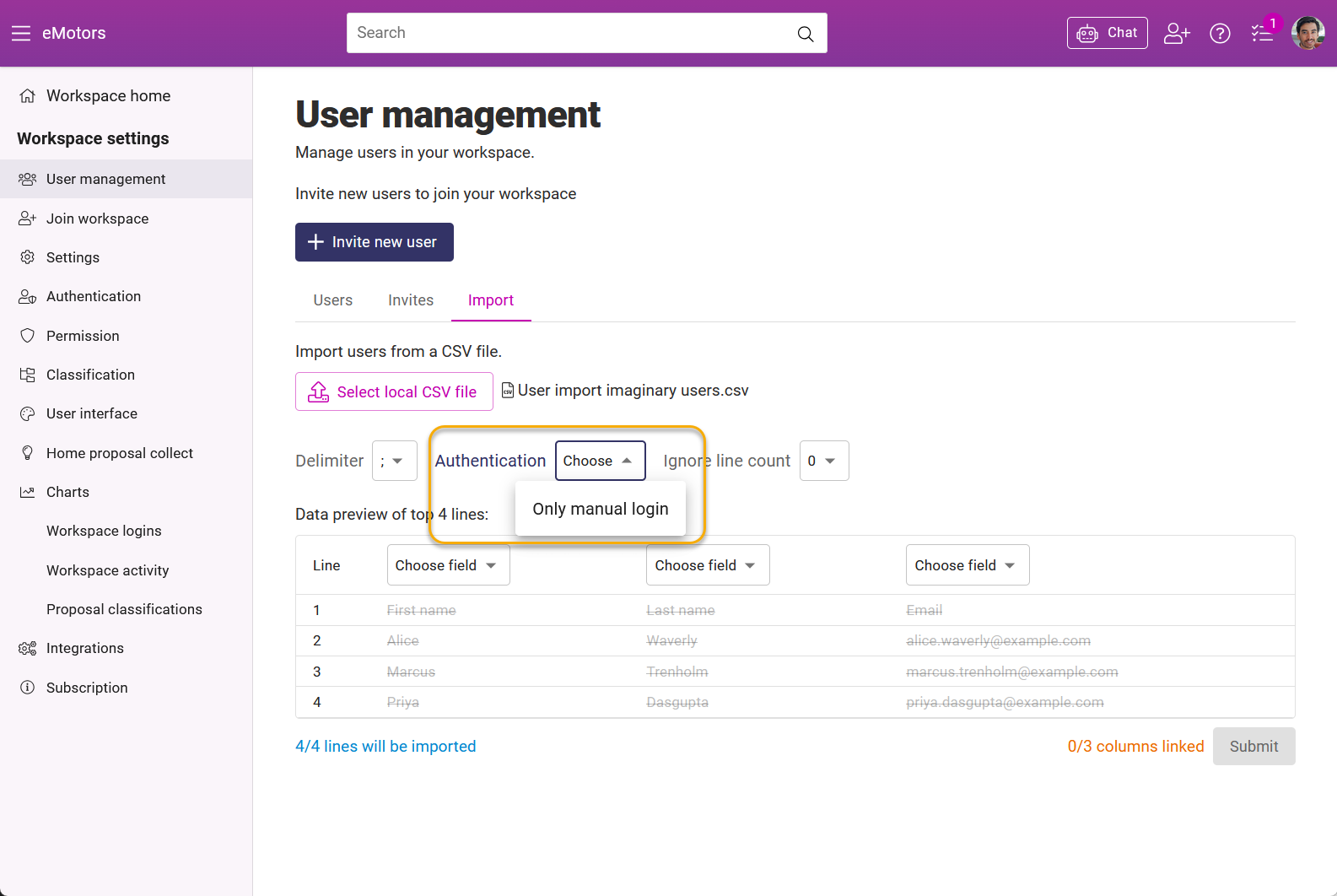
- Map the columns from your file to Orchidea's fields (e.g., Email -> Email).
- Finalize the process by clicking Submit.