Creating proposals
Submit your proposal to Orchidea
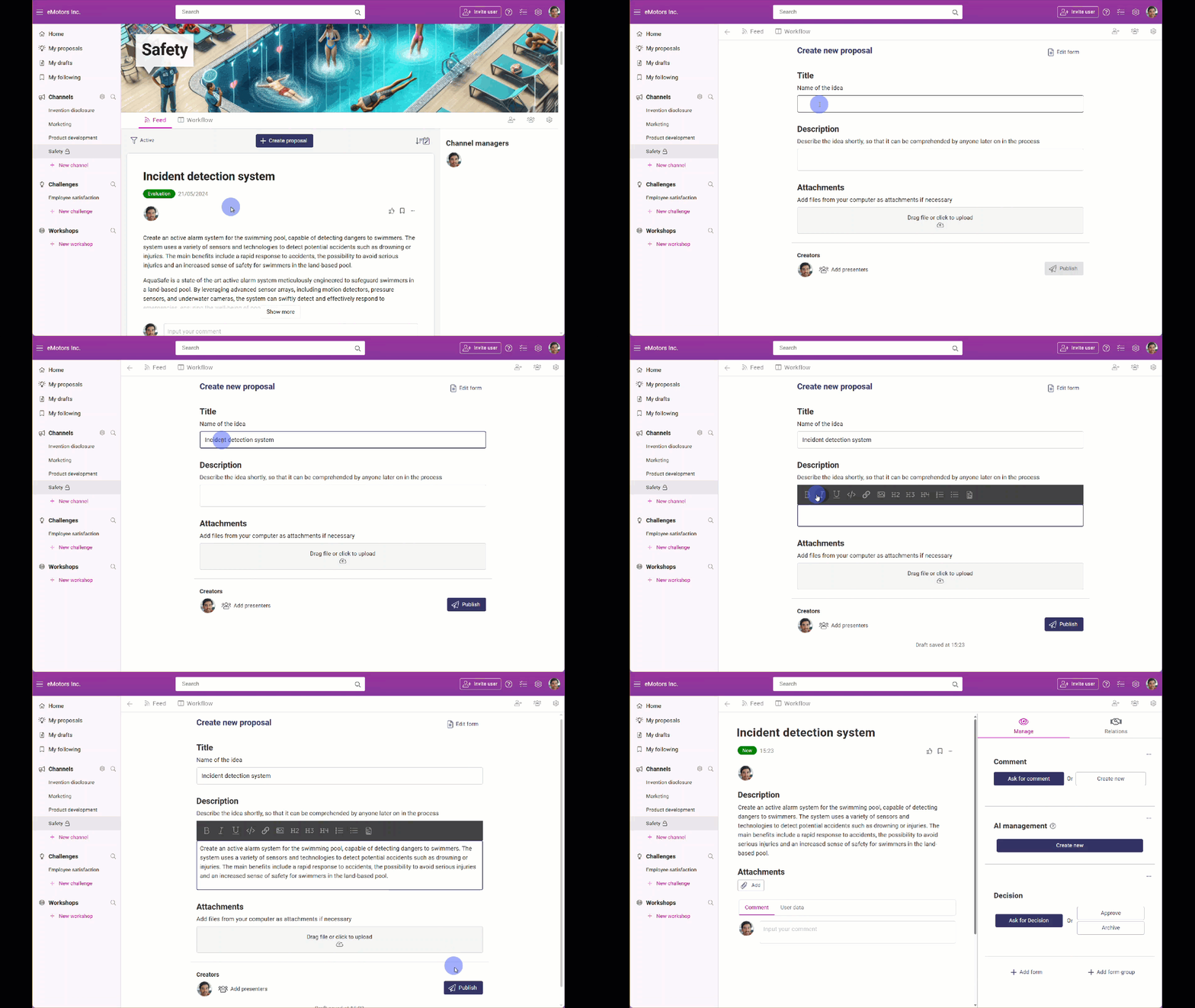
To start submitting proposals, navigate to the channel or challenge of your choice in the left navigation of Orchidea and click Create proposal.
Fill in the form. Try to describe your proposal clearly. If you want to add a co-creator to the idea, click on the Add co-creators button at bottom of the form.
Click Publish.
TIP
📌 Note that all the mandatory fields must be filled to publish the proposal.
Submit anonymously
If anonymous proposals are allowed on the channel, you can submit them anonymously.
Start creating the proposal as usual.
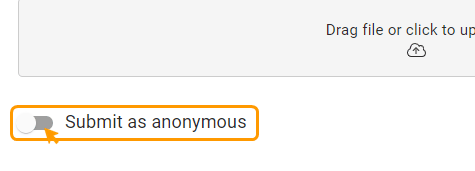
If anonymous submission is allowed, there will be a Submit as anonymous -section at the end of the form. Click on it to make your proposal appear anonymous.
Finally, click Publish.