
Resetting your password at sign in
Here's the instructions on how to reset your password when signing in
If you have forgotten your password, you can send a reset link to your email when signing in to your account. First, write your email to Email Address section in the sign in page and click Next.
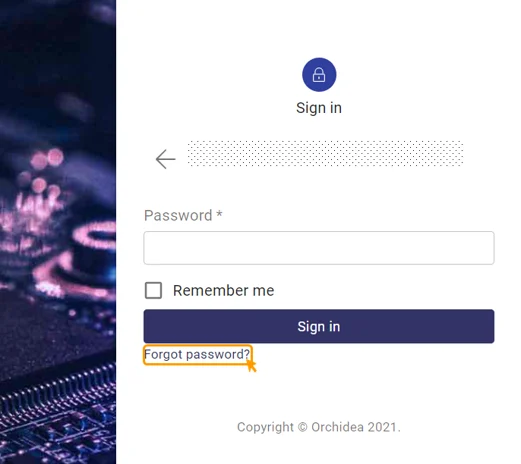
Next, click Forgot password? below the sign in.
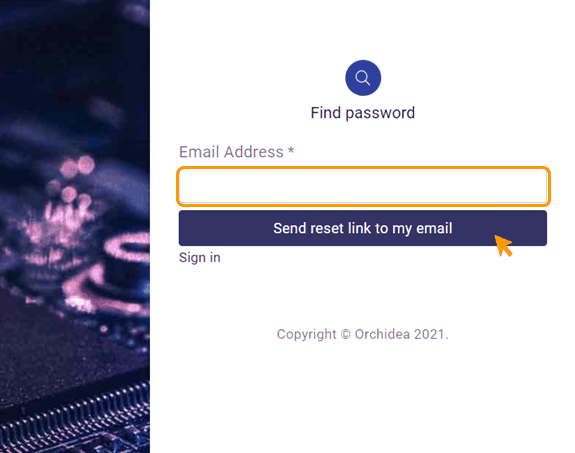
Write you email address to the Email address section and click Send reset link to my email.
You'll receive an email from Orchidea Support containing a link for resetting your password. Clickthe link from the email.
TIP
📌 If you didn't receive an email, check your junk email box.
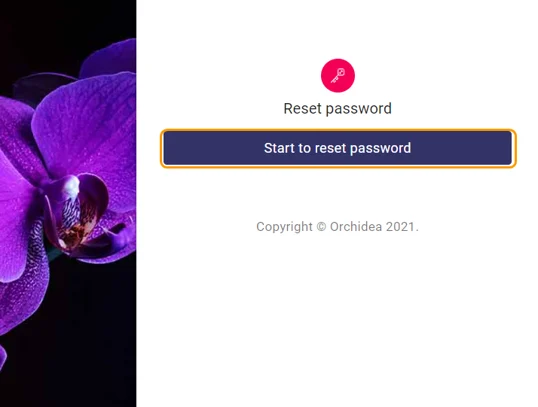
- From the opening window, click Start to reset password.
- Write your new password to thesection below New password.
- Finally, click Reset.
- Your password is now reset.