Deleting a channel
In this article we go through how to delete a channel.
Notice!
⚠️ You can only delete channels that don't have any proposals.
Go to the channel you want to delete.
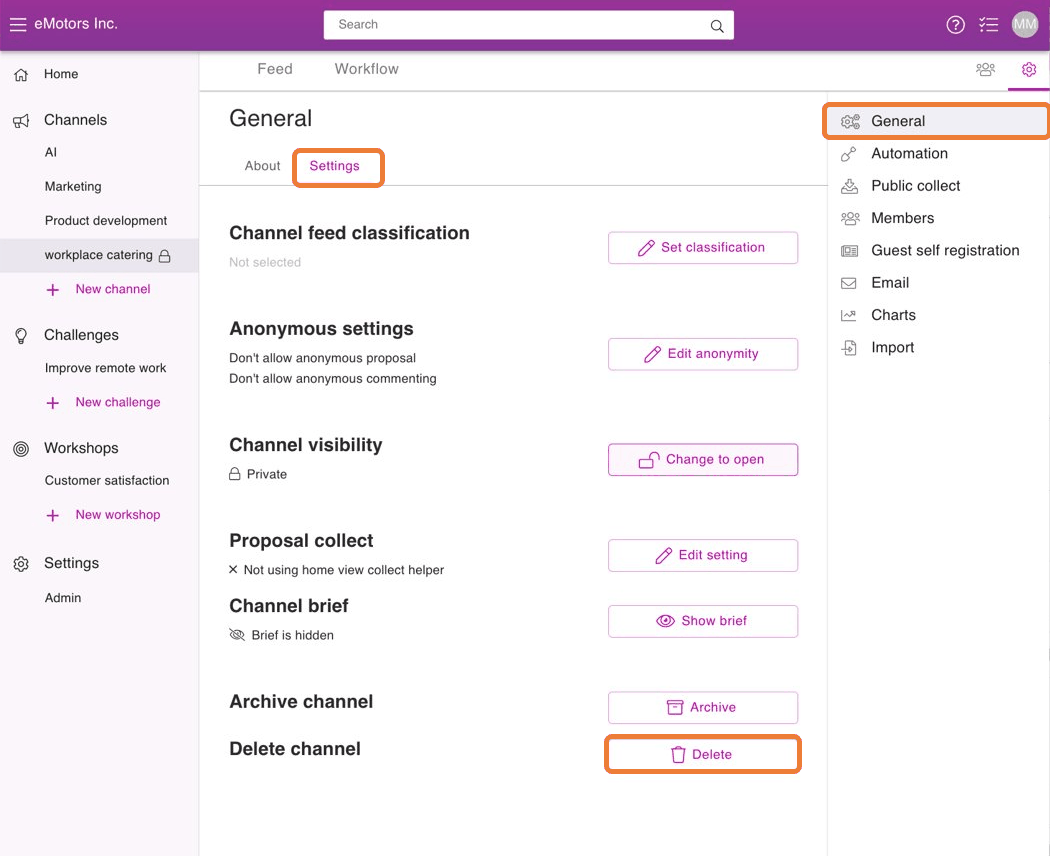
To open the channel settings, click the sprocket -icon on the upper right corner of the
From the opening menu press General .
Scroll to the bottom of Settings -tab and press on Delete.
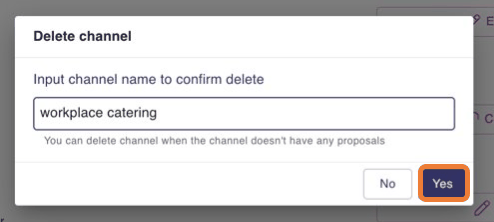
Then enter the channel's name in the text box to confirm the deletion
Press Yes to finish deleting.