Choosing the proposal manager
The proposal manager is responsible for handling the individual proposal on the channel. The responsibility for ideas or suggestions can be automated.
In the channels automation settings, you can specify who is automatically responsible for the proposal.
INFO
💡 By default, proposals will not be automatically assigned
Choosing a proposal assignment logic
- Go to the channel of your want.
- Press the sprocket from the upper right corner of the channel.
- From the opening menu click automation.
- Choose which proposal assigning logic you want to use. Manual proposal assignment is the default mode.
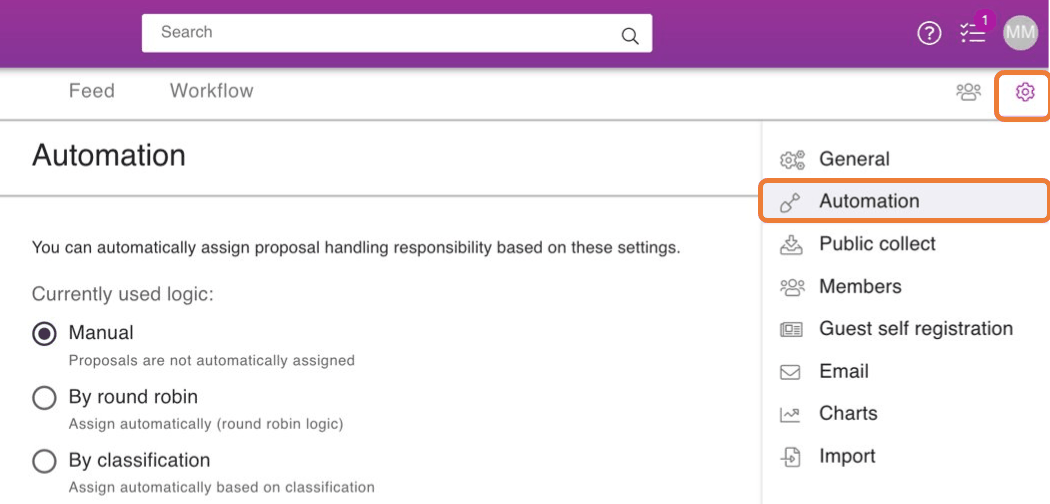
Manual logic
Manual logic is channels' default mode, in which case no proposal is automatically assigned to anyone, but you can select a manager on a proposal-by-proposal basis.
- Go to the proposal of your choice.
- Press the three dots icon next to the like button.
- From the opening menu click Assign managers.
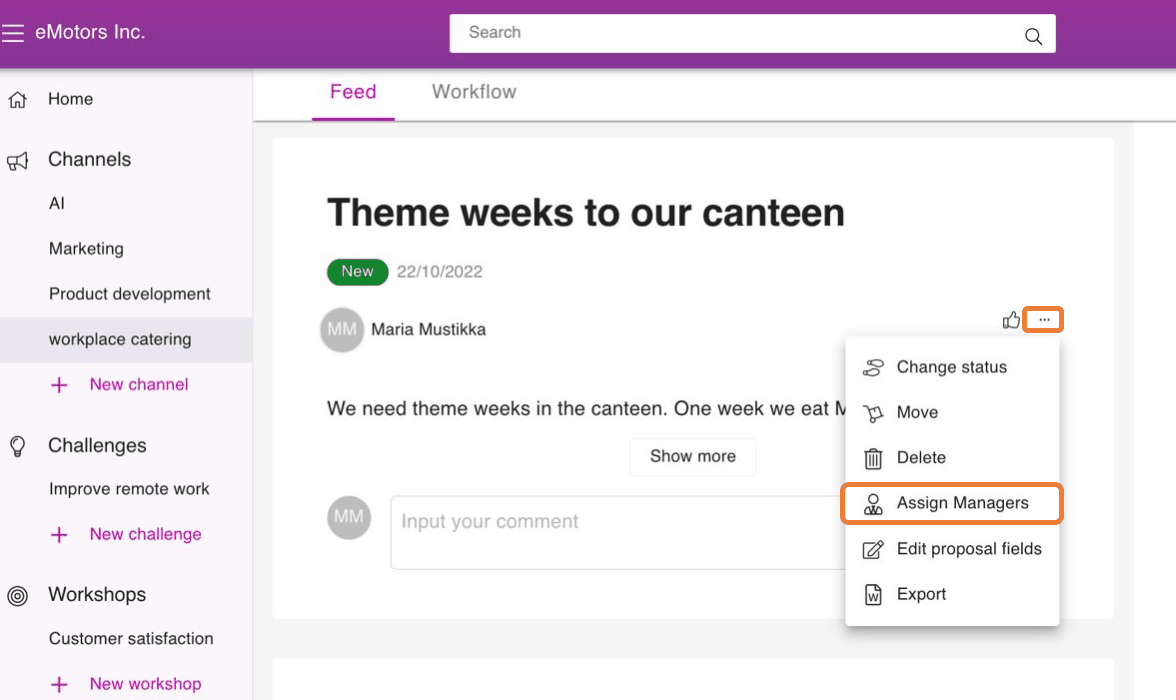
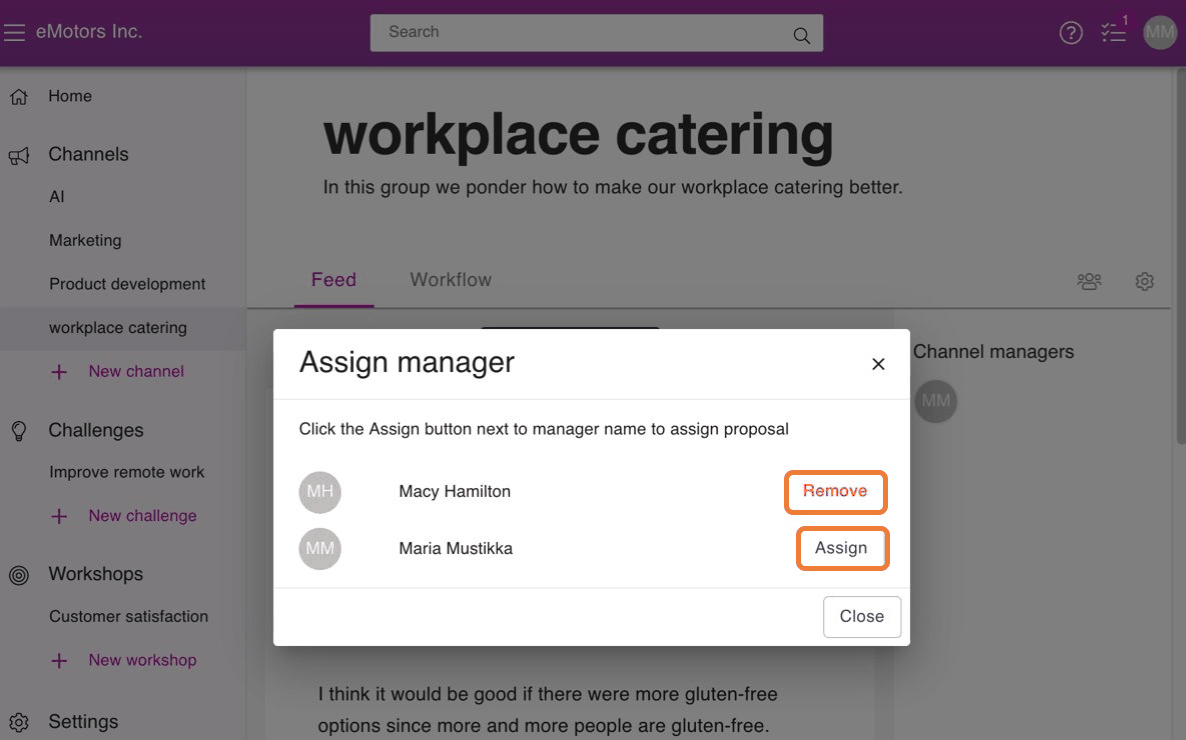
- Assign one or more managers by clicking Assign. If you want to delete an existing manager, press Remove.
Assign automatically (Round Robin logic)
Round robin logic means that tasks are assigned to a set of people in a given order.
For example, the first suggestion goes to user 1, the next to user 2, etc. until the round has gone through all and starts again from user 1.
.png)
Assign automatically based on a classification
TIP
💡 More information on classification can be found here
Based on the classification, the assigning is done as follows:
- In the Automation settings , select By classification.
- Choose which classification tree is being used.
- Choose managers from channel managers and assign them by classification. Channel managers and owners can be the proposal managers to a whole category or just to a subcategory.
- To delete an existing manager press the X icon next to the name.
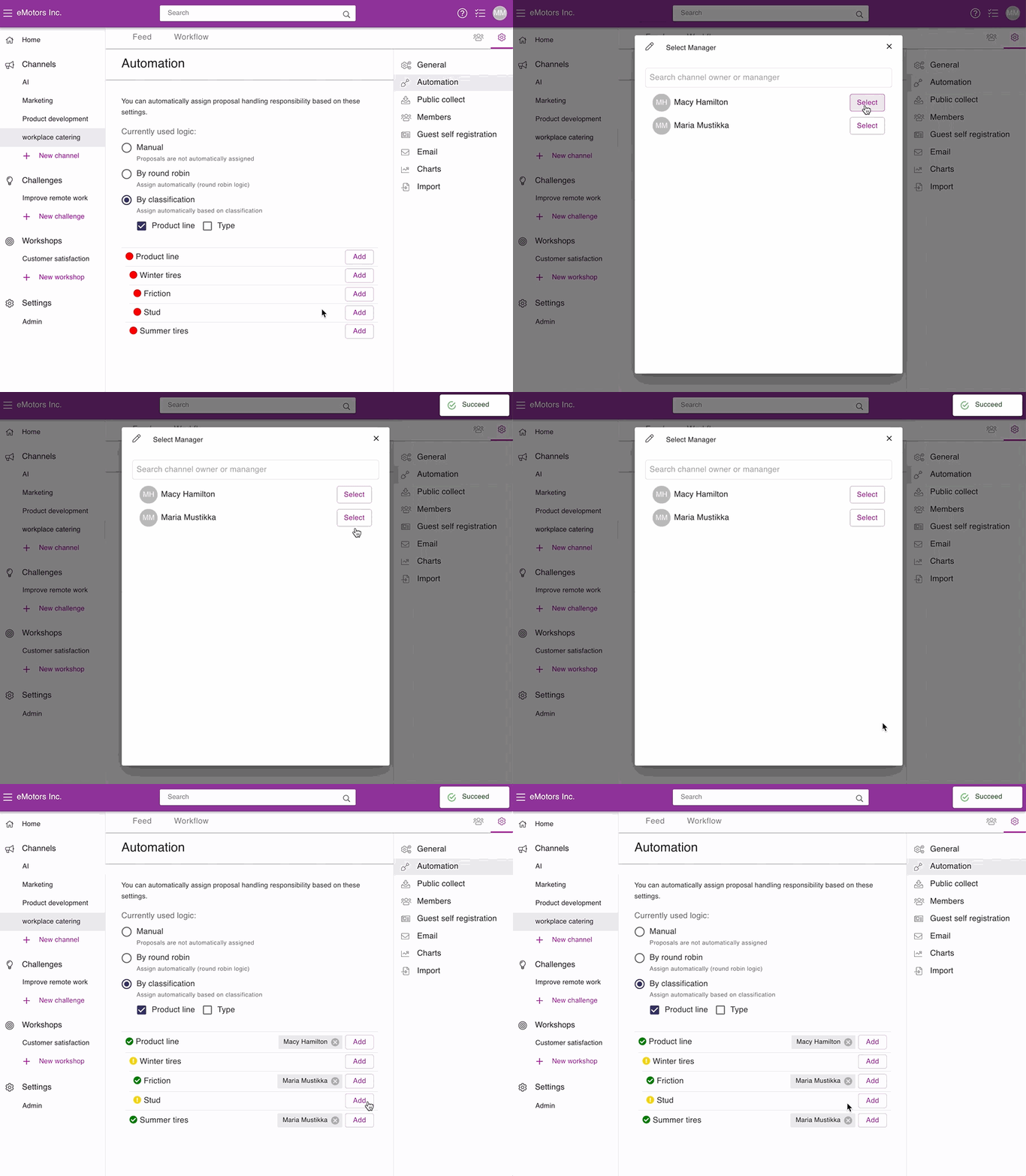
Red means no responsibility has been set for the category
Green means that the person responsible for the category has been selected.
Yellow means there is no actual handler for the category, but the handler is inherited from the upper green one.
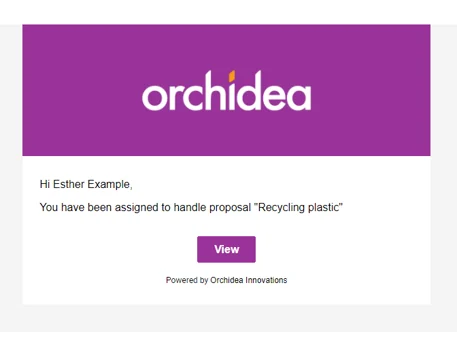
The Proposal manager will receive an email message about the selection: