
Importing Users to the Workspace
Learn how to bulk import users via CSV-file.
You can add a large number of users to your Orchidea workspace at once using the import function. This saves time compared to inviting users individually.
Notice!
📌 This feature is only available to users with the workspace owner or administrator role.
Before starting, ensure you have a CSV file containing at least the email addresses of the users.
Click your user avatar icon in the top-right corner and select Workspace Settings from the menu.
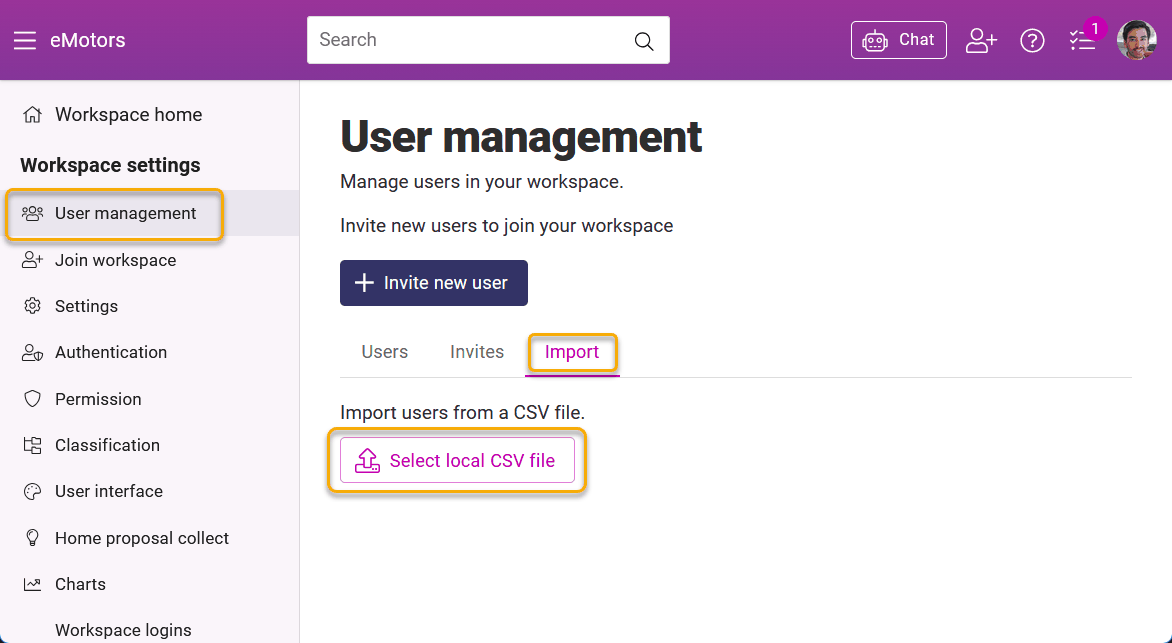
Click User management in the left menu.
Click the Import tab.
Click Select local CSV file and select the file from your computer.
Important: Select the correct authentication method from the dropdown menu located above the table before proceeding. Manual login means login with email and password.
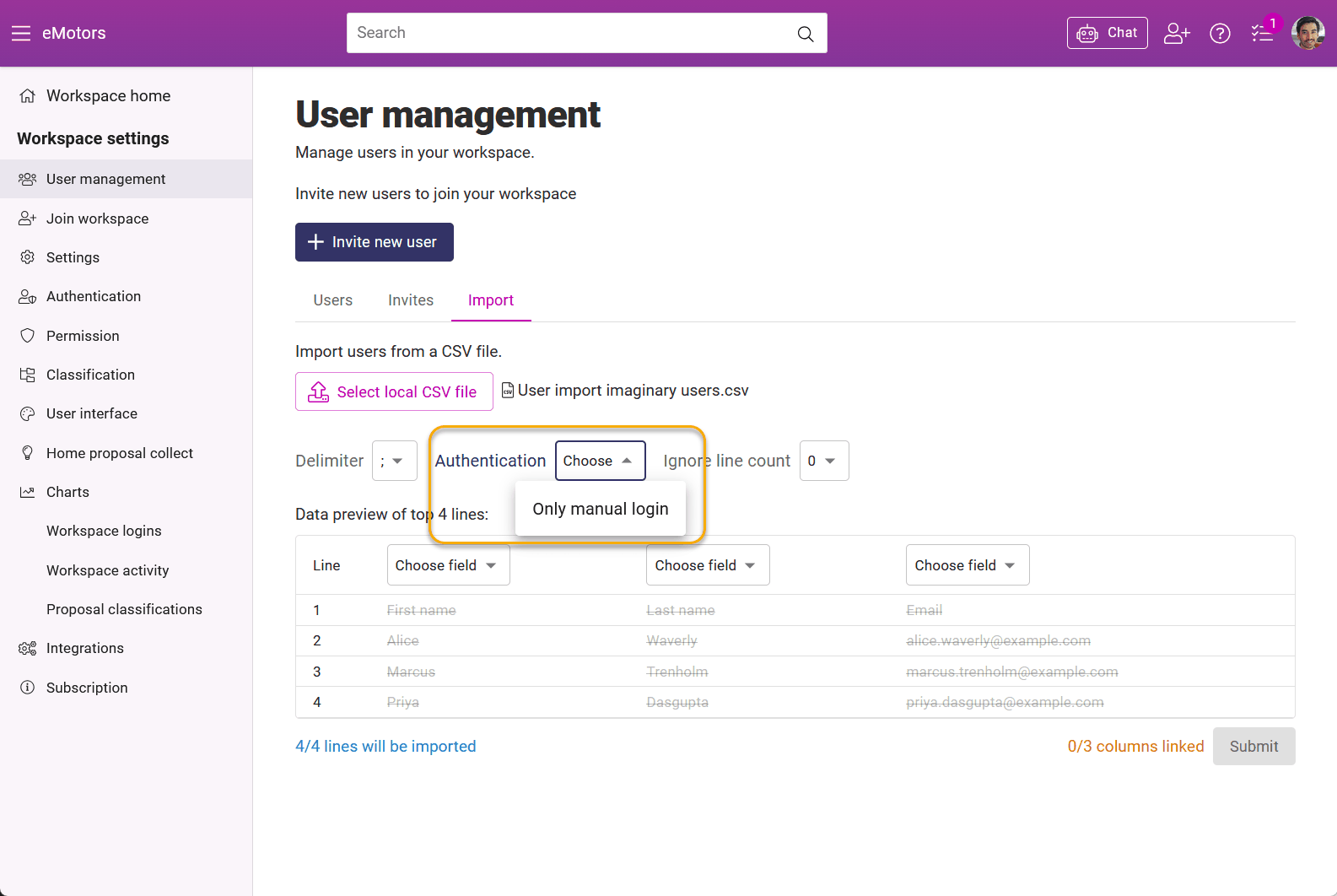
Map the columns from your file to Orchidea's fields (e.g., Email -> Email).
Finalize the process by clicking Submit.