Sharing a channel with external stakeholders
You can share a channel with a simple link to external participants. Externals can access the channel simply by clicking the link and registration is not required.
The steps to share a channel are
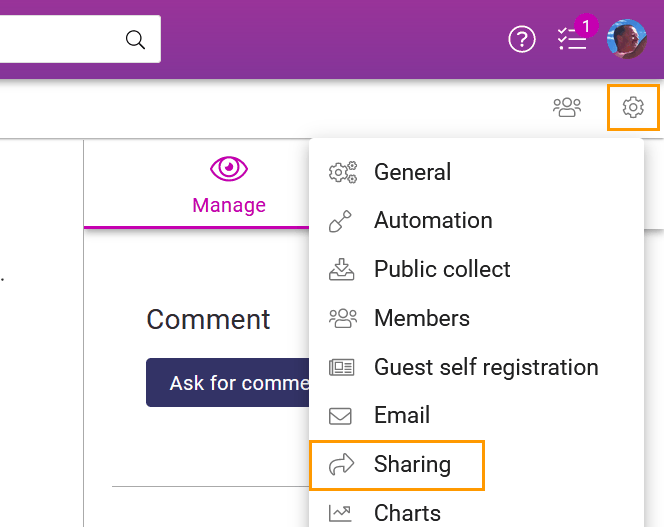
Click channel settings in the top right corner of the channel and choose Sharing
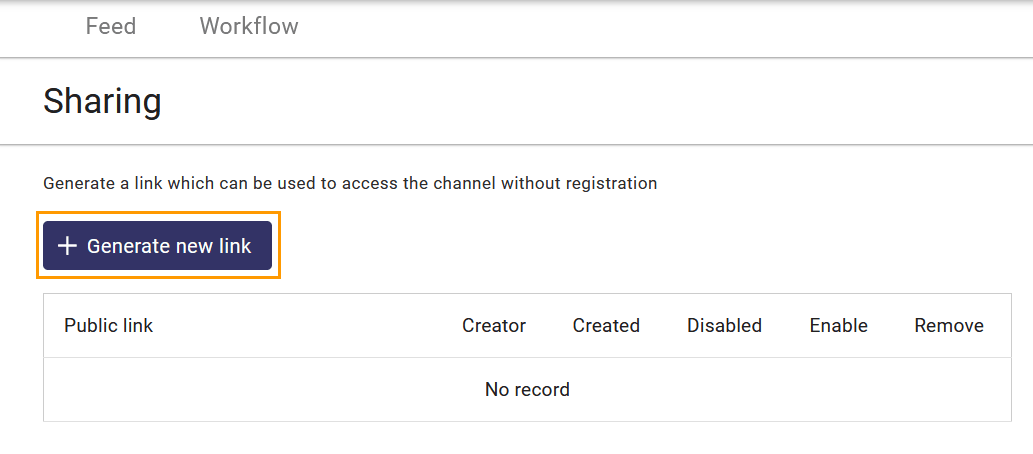
Click + Generate new link
Choose what permissions you want to grant for the visitors using the link
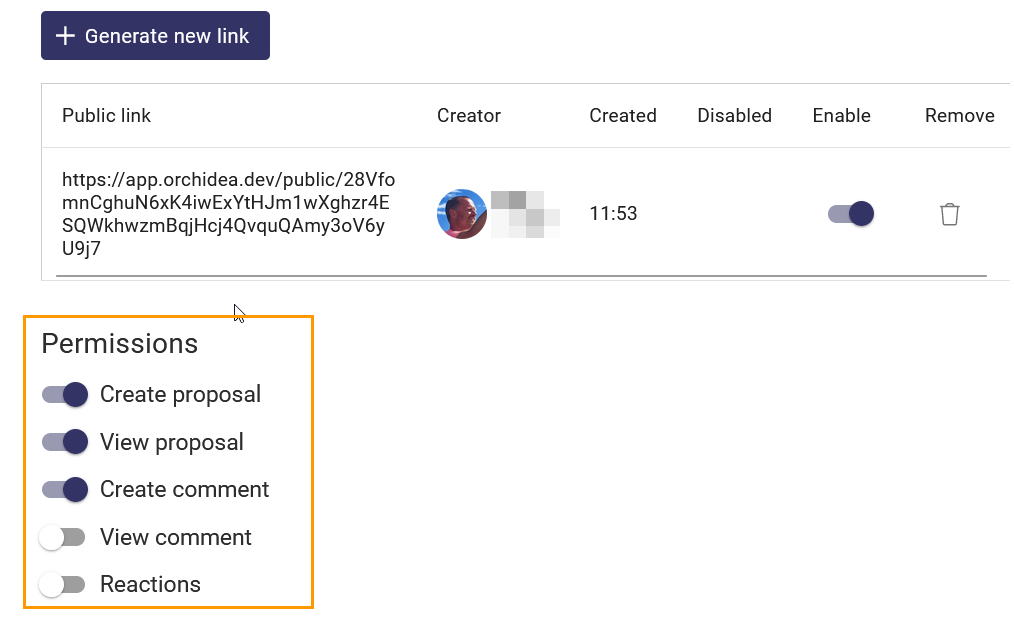
You can copy the created link to the clipboard by clicking it with the mouse.
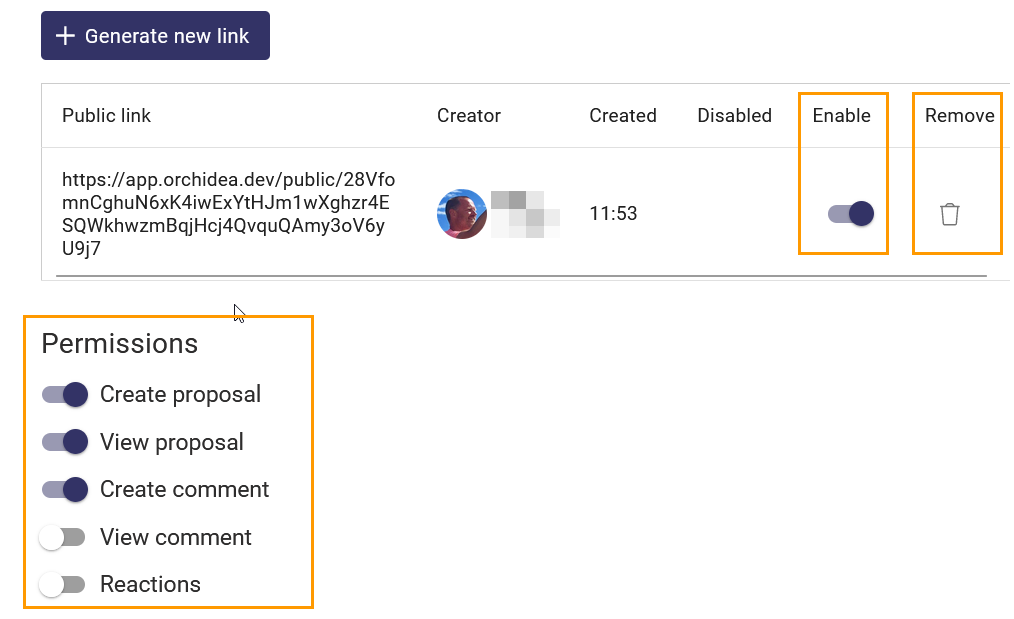
Managing visitor's access with a link
You can manage the access of a created link by
- Disabling it temporarily or
- Removing it permanently or
- Changing the permission of the visitors using the link