Archiving a challenge
If a challenge has come to an end, you can archive it. When a challenge is archived, it will disappear from the left menu.
Archive a challenge
Go to the challenge of your need.
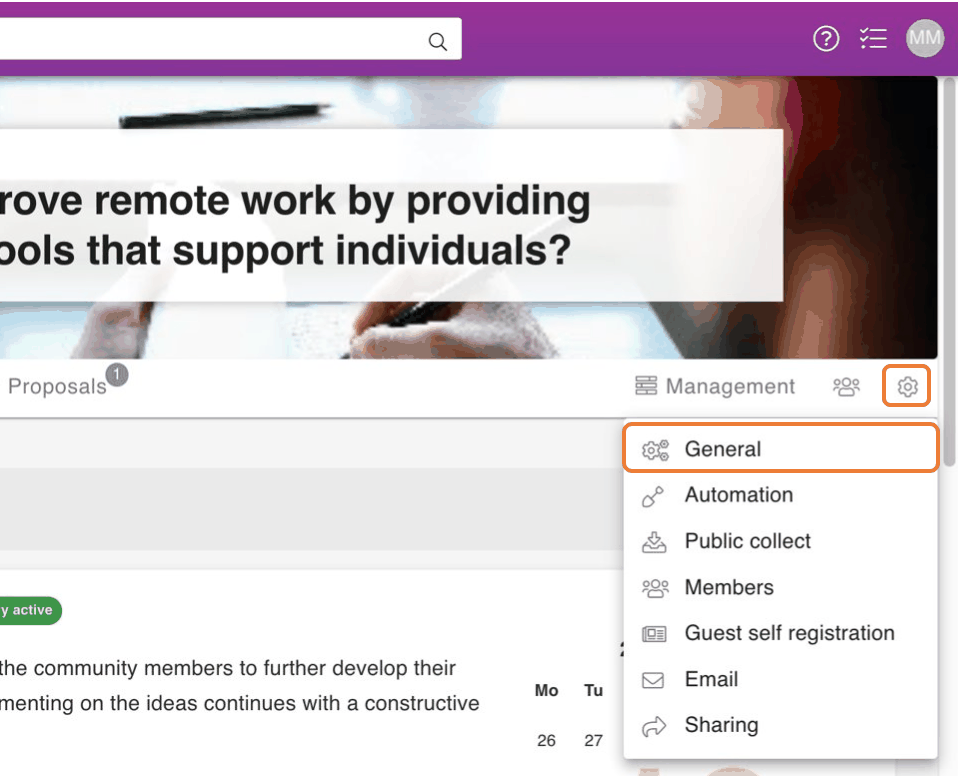
Press the sprocket -icon on the upper right corner of a challenge.
From the opening menu click General.
From General, Click Archive.
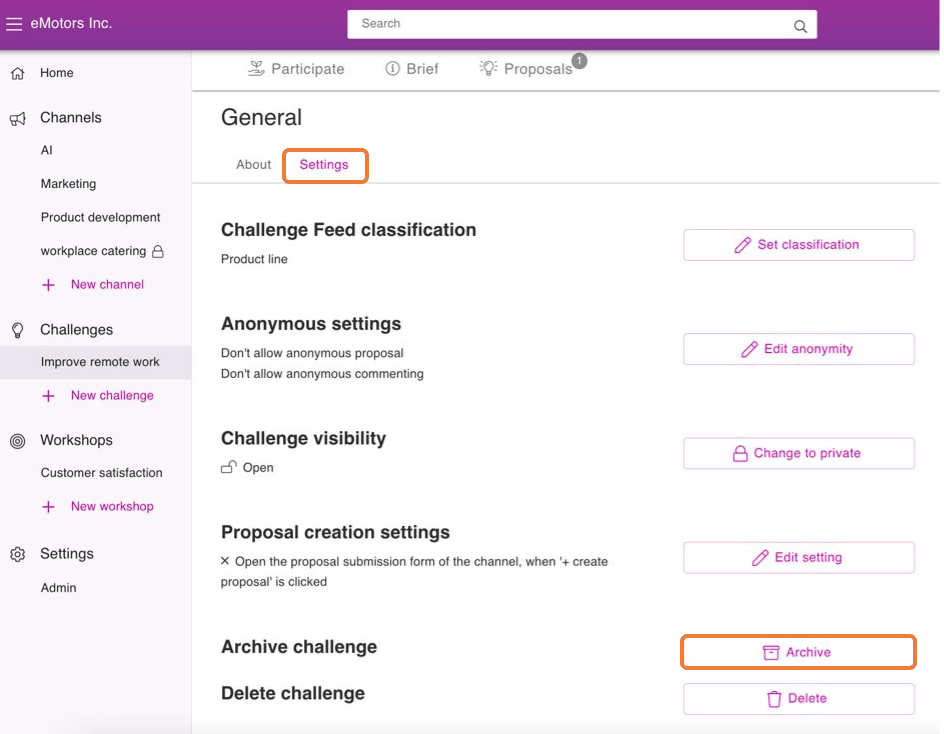
Press Yes to confirm archiving.
Where to find an archived challenge
If you want to get to an archived challenge follow these steps:
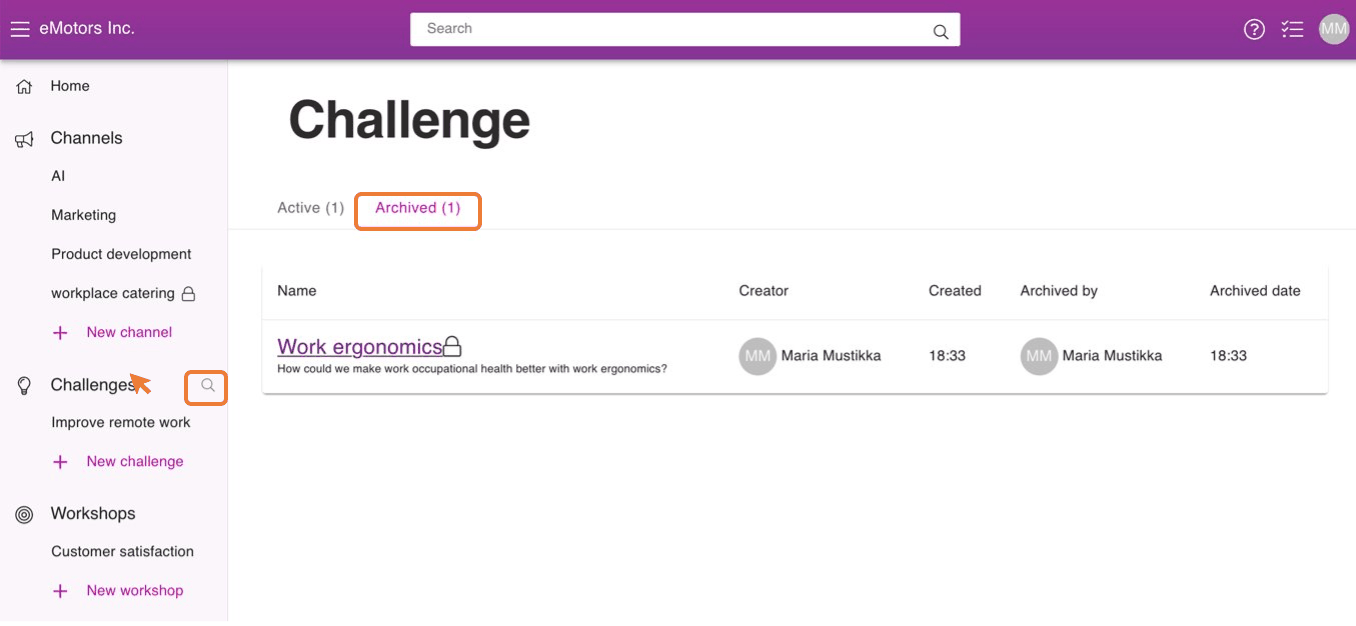
Press the appearing Magnifying glass icon next to the Challenges title.
Click on Archived.
You can get back on a challenge by pressing on its name.