
Create a template out of an existing channel, challenge, or workshop
Channel managers and owners can create a template from an existing channel, challenge, or workshop and use it to create new channels, challenges, and workshops with the same settings.
When you create a template from a channel, challenge, or workshop, settings such as statuses, phases, forms, texts, and other configuration will be copied to the template. The template makes it easy and fast to duplicate the channel, challenge, or workshop.
Start by heading to the channel, challenge, or workshop that you want the template to be based on. Then follow these steps:
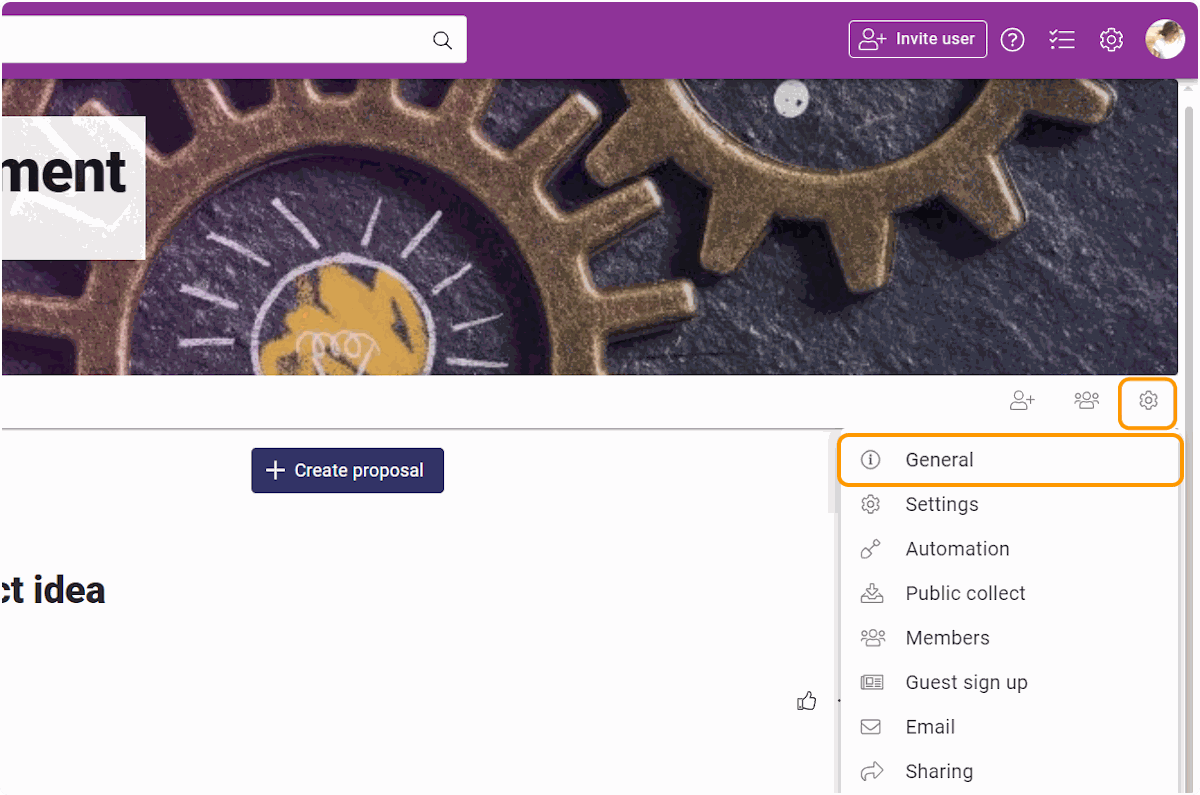
To access the settings, press the sprocket icon in the upper right corner of the channel, challenge, or workshop.
In the opening window, choose General.
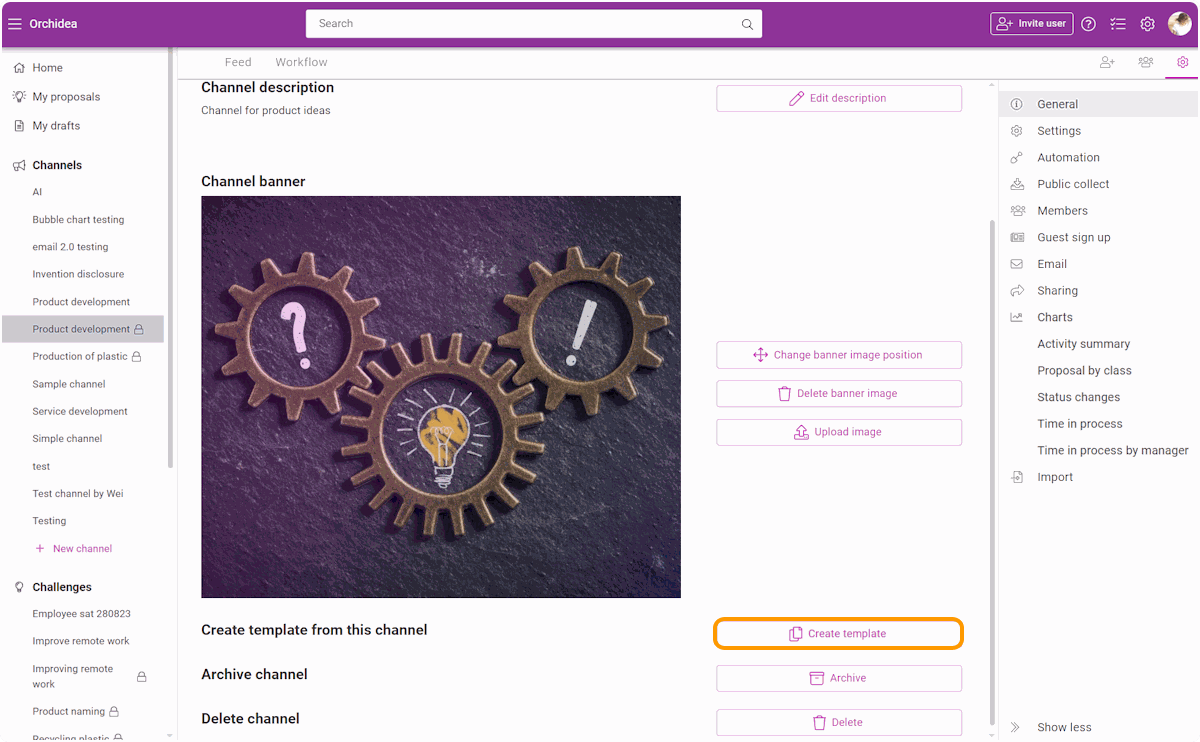
In General settings, scroll down and click Create template.
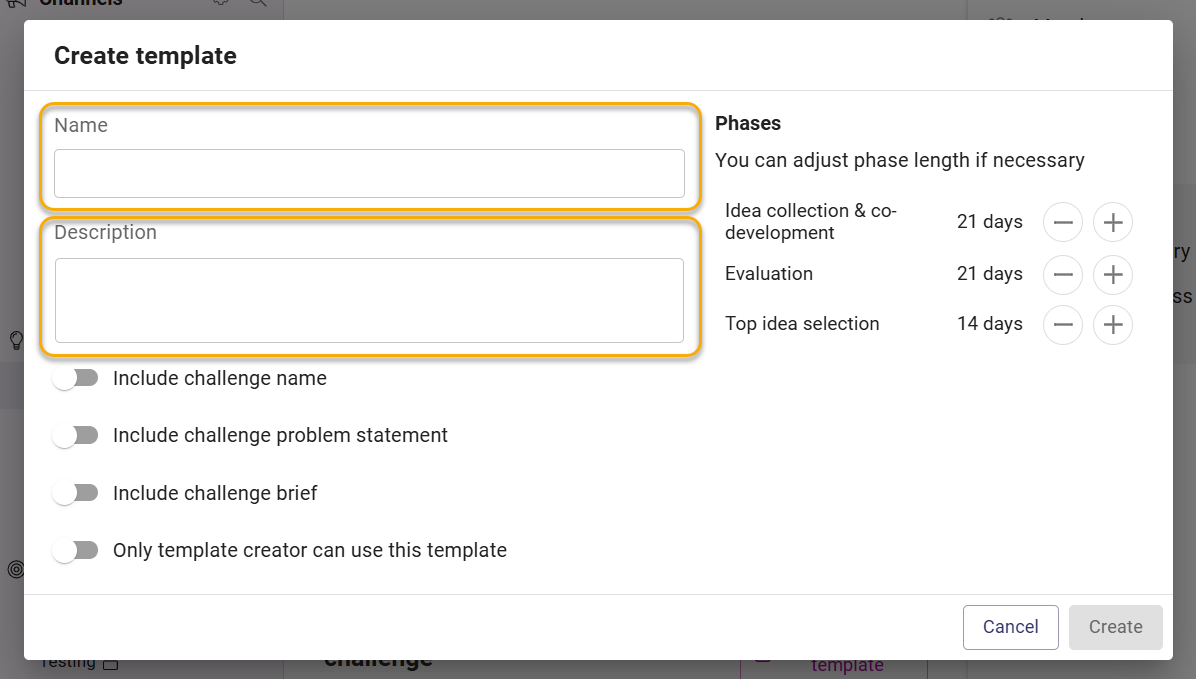
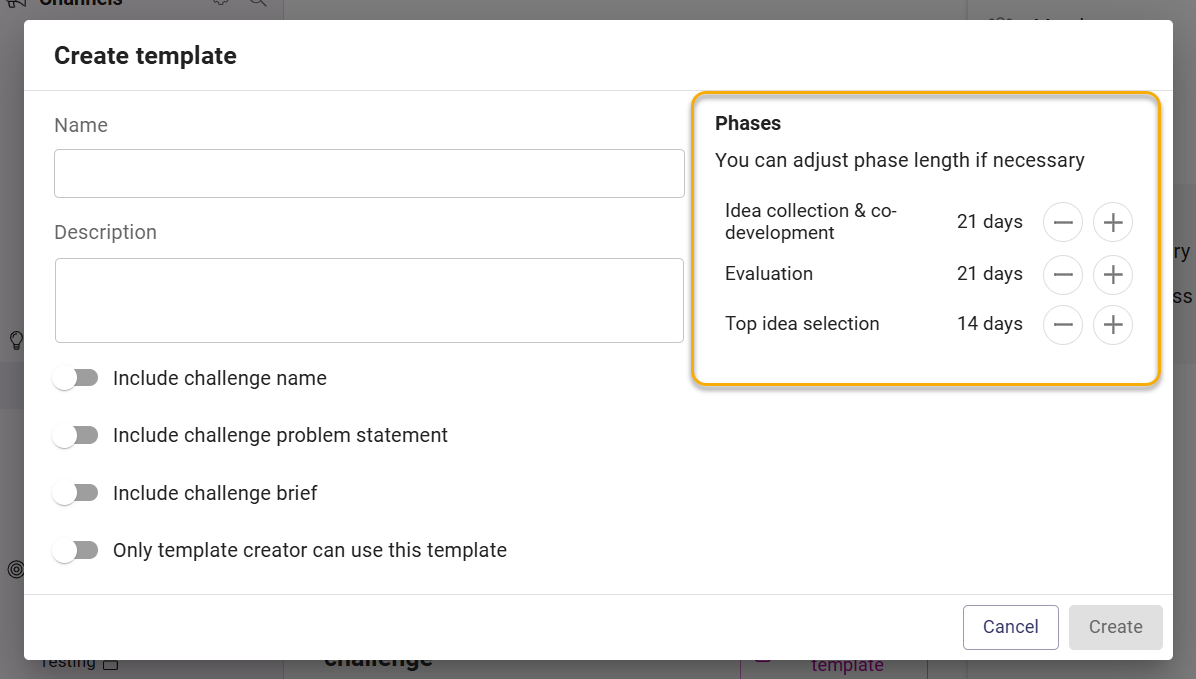
Fill in the Name and Description for the template.
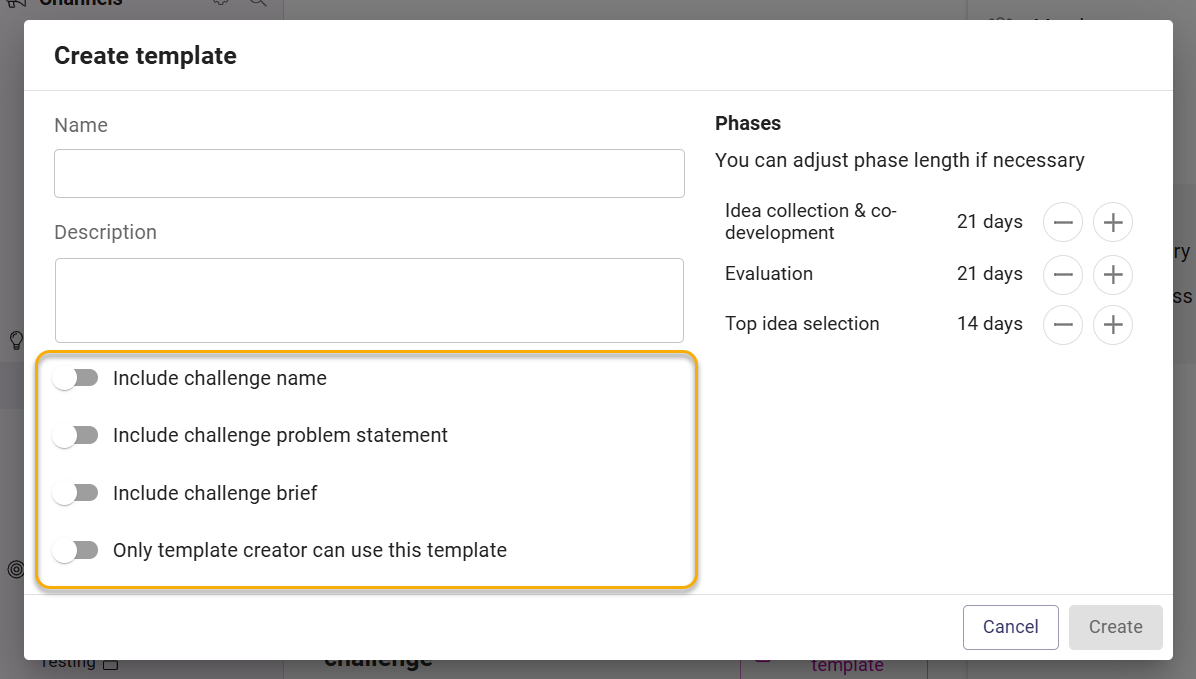
Then select the additional settings for the template:
Choose whether the template should also include the name of the original channel, challenge, or workshop.
Choose whether the template should include:
- the channel description for a channel template
- the problem statement for a challenge or workshop template
Choose whether the template should include the brief of the original channel, challenge, or workshop.
Choose whether you want the template to be available for all workspace users or only for yourself.
If you are creating a template from a challenge or workshop, you can modify the lengths of the phases before creating the template.
Finally, click Create to create the template.