Archiving a channel
If needed you can archive a channel that has come to an end. By archiving, it disappears from the left menu.
This is how you archive a channel:
Go to the channel of your need.
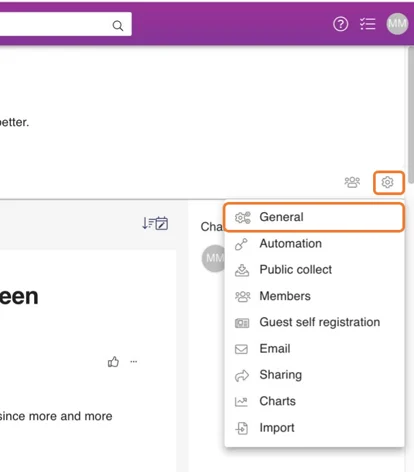
Press the sprocket -icon on the upper right corner of a channel.
From the opening menu click General.
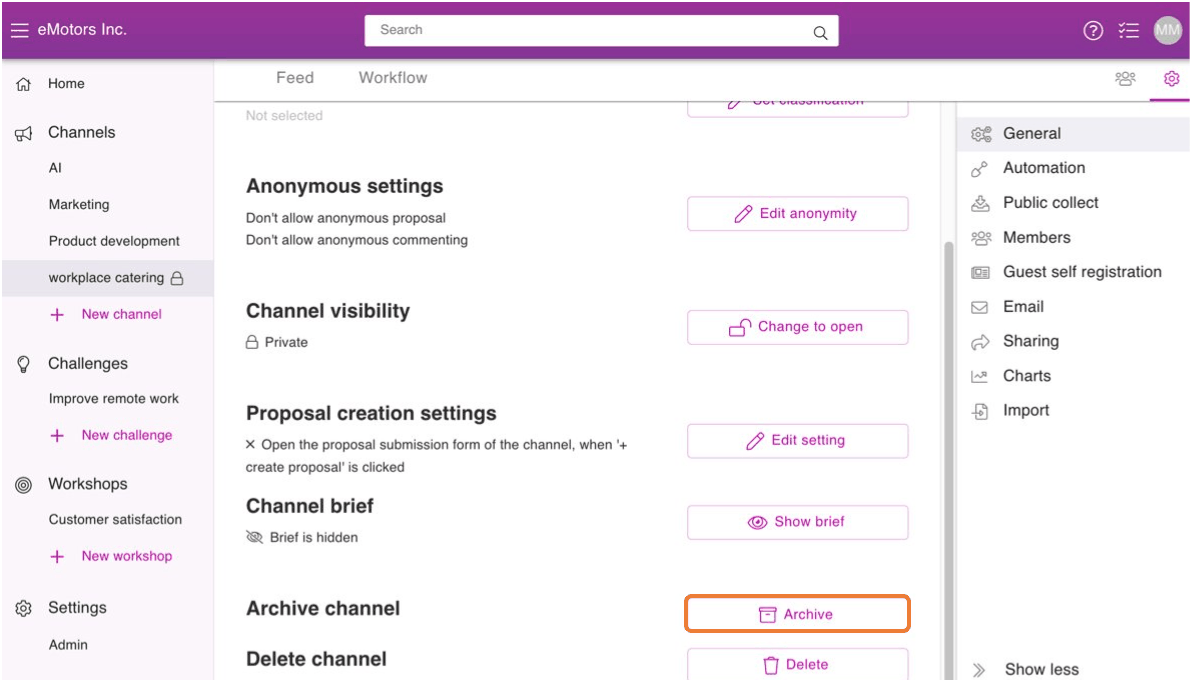
Click Archive at the bottom of the General view.
Press Yes to confirm archiving.
When you archive a channel, all tasks related to it will be removed automatically.
Where to find an archived channel:
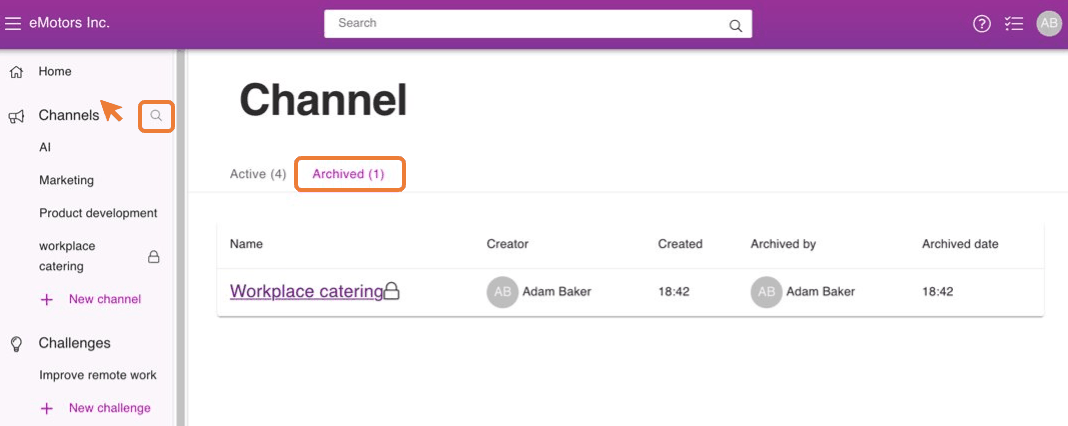
If you want to get to an archived channel follow these steps:
- Drag your cursor on the top of the Channels title on the left menu.
- Press the appearing magnifying glass -icon next to the Channels title.
- Click on Archived.
- You can get back on a channel by pressing on its name.